Reliable quantities
Purchases, batches, write-offs, and adjustments make up each item's on-hand balance.
See what's on the shelf, what each item cost, and what you need for the next production run. Inventory follows both purchases and batches.
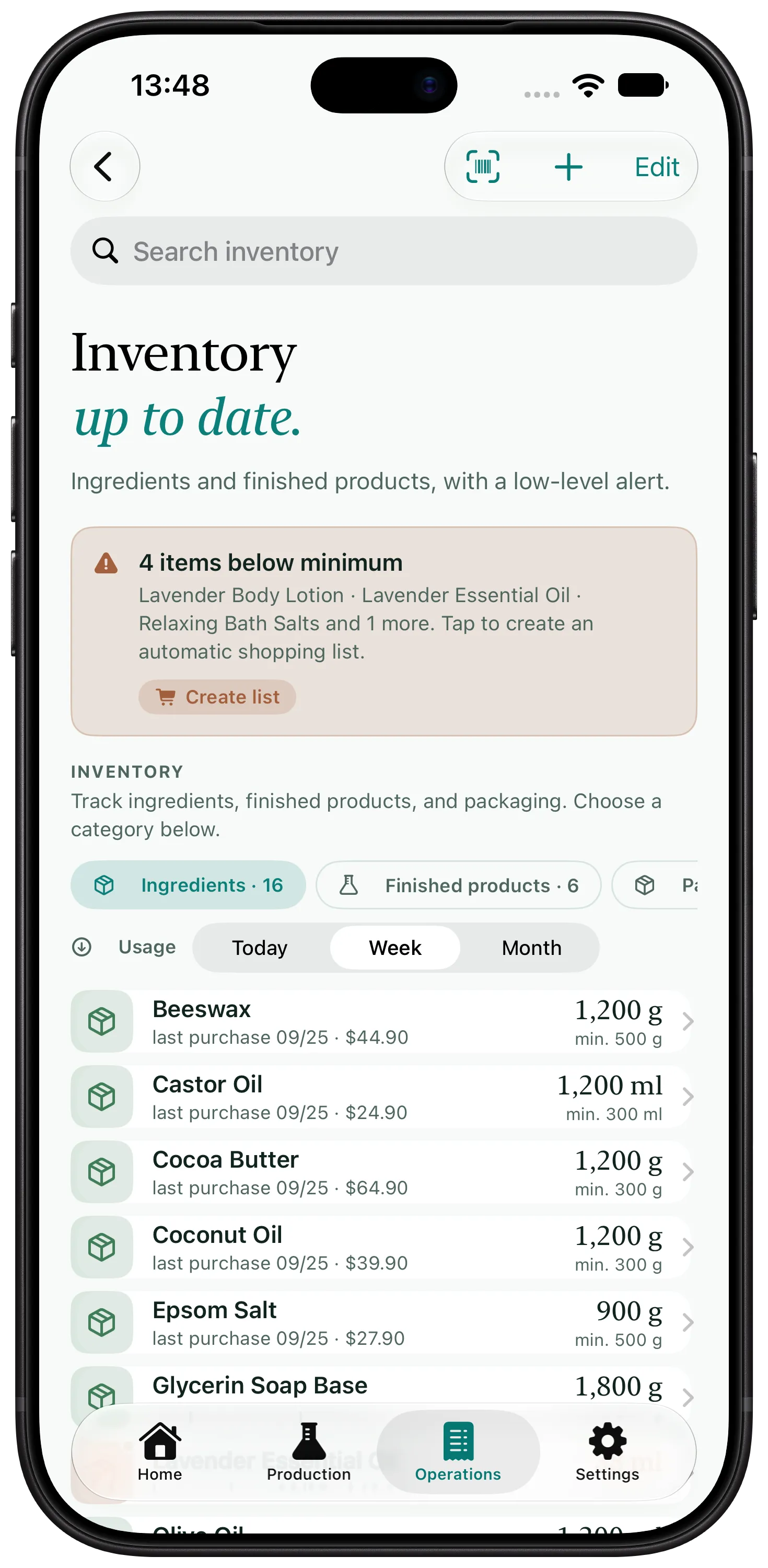
Purchases, batches, write-offs, and adjustments make up each item's on-hand balance.
Purchase prices feed directly into formula and product costs.
Set a minimum inventory level and see which items need to be reordered.
Record its unit, quantity, price, supplier, shelf life, and barcode.
Add inventory from a barcode scan, a Brazilian NF-e / DANFE invoice, or a spreadsheet.
Complete the batch to deduct the ingredients and update the on-hand balance.
If production uses one quantity but your inventory spreadsheet uses another, the balance stops being trustworthy. The same happens when a new purchase changes a price but the formula cost does not update with it.
An integrated workflow reduces those gaps. You should still review incoming purchases, record write-offs, and perform physical counts when needed.
Yes. You can set a minimum inventory level and see which items need to be reordered.
Yes. Each ingredient record keeps the information you need for purchasing and production.
Yes. Artisan View can import data and export it to CSV.
Add a formula, make a batch, and see the real cost in the same place.
Try free for 7 days